
api-design
13 Best OpenAPI Documentation Tools for 2026

Summarize with


The quality of your API documentation can make or break your developer experience (DX). In a world driven by integrations, clear, accurate, and interactive API docs are a necessity. That’s where OpenAPI documentation tools come into play, serving as the bridge between your API’s technical specifications and the developers who need to use them.
OpenAPI documentation tools are designed to render machine-readable API descriptions into human-friendly guides. They significantly improve onboarding speed by providing developers with interactive "try it" consoles, clear code samples, and comprehensive explanations, ultimately enhancing integration reliability.
In this article, we'll start with a quick comparison, then delve into in-depth reviews of leading OpenAPI documentation tools, covering everything from powerful SaaS platforms and versatile open-source UIs to full-fledged developer portals.
Let's find the best OpenAPI documentation tools to elevate your API program.
At its core, an OpenAPI documentation tool is a software solution that takes an OpenAPI document (a YAML or JSON file describing your API) and transforms it into an accessible, interactive, and human-readable web page.
Think of it as a translator that turns technical API blueprints into user manuals. These tools often include an interactive "Try it" console that allows developers to send real requests directly from the browser, along with automatically generated code samples in various languages, robust search capabilities, and straightforward navigation.
It's essential to distinguish OpenAPI documentation tools from other related software:
Pure design tools (spec editors): While these tools help you create and manage your OpenAPI specification, they typically don't focus on the end-user documentation experience.
General knowledge bases: These platforms can host API-related articles but lack the specific intelligence to understand and render an OpenAPI document interactively.
OpenAPI documentation tools generally fall into these three key categories:
Hosted Portals: These are all-in-one SaaS platforms that provide a complete environment for publishing, hosting, and managing your API documentation, often alongside other API lifecycle features. Examples include Treblle, Bump.sh, ReadMe, Apidog, and Stoplight.
Embeddable Viewers / Components: Lightweight, often open-source libraries or web components that you can embed into your existing website or developer portal to display interactive OpenAPI documentation. Popular choices include Swagger UI and DapperDox.
Doc Generators / CLIs: Command-line interface tools that take an OpenAPI spec and generate static HTML documentation files, typically used for offline viewing or integration into custom build pipelines. OpenAPI Generator and Bump CLI are prime examples.
Understanding these categories helps narrow down the best OpenAPI documentation tools to your team's specific requirements for deployment, customization, and integrated functionality.
Choosing the best OpenAPI documentation tools requires a comprehensive evaluation beyond just rendering a spec. Our assessment focused on criteria that matter most to modern API teams, ensuring we cover the full spectrum of needs from small startups to large enterprises.
Here’s what we looked for:
OpenAPI Support: Fundamental to any tool in this category. We assessed support for the latest OpenAPI versions (v3.0 and v3.1), the ability to handle multi-file specs (applicable for modular API design), and performance with large, complex schemas.
Docs Experience: This is about the end-user. Key aspects included intuitive navigation, robust search functionality, clear response examples, automatically generated code samples in multiple languages, and a functional "Try it" console for interactive exploration.
Automation & Workflows: Modern API development thrives on automation. We evaluated CI/CD integration, auto-publishing from Git repositories, automatic change logs, diffing (showing what changed between versions), and robust versioning support.
Integration with the Rest of the API Lifecycle: The best OpenAPI documentation tools don't operate in a vacuum. We considered how well they integrate with testing, API governance, analytics, full developer portals, and even AI assistance, offering a more holistic APIOps approach.
Pricing & Team Fit: We examined cost structures (free/open-source vs. SaaS subscriptions) and suitability for teams of different sizes and needs, from individual developers and open-source projects to enterprise teams focused on extensive DX or compliance requirements.
To ensure our coverage was both comprehensive and current, we also cross-referenced recent comparison posts and vendor documentation to identify emerging trends and include the most relevant and powerful tools on the market. This rigorous process enabled us to identify the top OpenAPI documentation tools for 2026.
This section provides a high-level summary of the OpenAPI documentation tools we've evaluated. Use this table as a quick reference to compare key features and determine which tools might be the best fit for your initial exploration. It's designed to help you quickly identify the best OpenAPI documentation tools based on your immediate needs.
| Tool | Type | Best for | Open-source? | OpenAPI versions supported | Interactive "Try it" console | Changelog & versioning | API hub/catalog | Governance/analytics | Starting price |
|---|---|---|---|---|---|---|---|---|---|
| Treblle | SaaS platform | Live APIs, intelligence, full APIOps | No | v2.0, v3.0, v3.1 | Yes | Yes | Yes | Yes | Free tier |
| SwaggerHub | SaaS platform | Enterprise design & docs | No | v2.0, v3.0 | Yes | Yes | Yes | Design linting | Free tier |
| Redocly / Redoc | SaaS platform/component | Polished, customizable docs | Redoc: Yes | v2.0, v3.0, v3.1 | Yes | Yes | Yes | Yes | Free tier |
| Bump.sh | SaaS platform | Spec-first docs, diffing, changelogs | No | v2.0, v3.0, v3.1 | Yes | Yes | Yes | No | Free tier |
| Scalar | Open-source UI | Modern, embeddable reference UI | Yes | v2.0, v3.0, v3.1 | Yes | No | No | No | Free |
| Stoplight | SaaS platform | Design-first, visual modeling, portals | No | v2.0, v3.0, v3.1 | Yes | Yes | Yes | Yes | Free tier |
| ReadMe | SaaS platform | Personalized developer hubs | No | v2.0, v3.0, v3.1 | Yes | Yes | Yes | Yes | Paid |
| Postman | SaaS platform | API testing & collaboration | No | v2.0, v3.0 | Yes | Yes | Yes | Yes | Free tier |
| Document360 | SaaS platform | Knowledge base + API docs | No | v2.0, v3.0 | Yes | Yes | Yes | No | Paid |
| Apidog | All-in-one platform | Design, test, mock, document | No | v2.0, v3.0 | Yes | Yes | Yes | No | Free tier |
| RapiDoc | Open-source component | Lightweight web component | Yes | v2.0, v3.0, v3.1 | Yes | No | No | No | Free |
| OpenAPI Generator | CLI tool | Code & static docs from spec | Yes | v2.0, v3.0 | No (generates static HTML) | No | No | No | Free |
| DapperDox | Open-source generator/server | Markdown-integrated docs | Yes | v2.0, v3.0 | Yes | Yes | Yes | No | Free |
In this section, we take a deeper dive into the best OpenAPI documentation tools available, exploring their unique strengths, key features, and potential limitations.
While we've ranked them roughly in order of what we consider to be the "best all-around" OpenAPI documentation experience for modern teams in 2026, it's important to remember that the ideal tool often depends on your specific use case.
Here are our top picks for OpenAPI documentation tools. Some are full-fledged API platforms, while others are lean, embeddable documentation UIs:

Treblle stands out as a unique API Intelligence Platform that fundamentally rethinks how API documentation is created and maintained.
Unlike many traditional OpenAPI documentation tools that rely solely on manually written or updated specifications, Treblle auto-generates OpenAPI-backed documentation directly from your live API traffic and SDK instrumentation.
This innovative approach ensures your documentation is always aligned with your API's actual behavior, eliminating the common problem of stale or inaccurate docs.
The documentation within Treblle doesn't exist in isolation; it's seamlessly integrated into a broader APIOps stack that includes real-time monitoring, comprehensive API governance scoring, robust security checks, an AI assistant named Alfred, and detailed analytics.
This holistic platform ensures that your OpenAPI documentation is a living, breathing component of your API's health and evolution, providing unprecedented accuracy and context.
Best for:
Teams that prioritize real-time accuracy and want documentation, observability, and governance within a single, unified platform.
Fast-growing API programs where manual documentation updates are a bottleneck, and docs drifting from reality is a critical concern.
Organizations are looking for the best OpenAPI documentation tools that go beyond simple rendering.
Key OpenAPI Documentation Features:
Auto-detected endpoints and real-time, auto-generated API docs from production traffic and SDKs. This ensures your documentation always reflects the current state of your API, preventing discrepancies that often plague manual processes.
Automatic OpenAPI spec generation (JSON + YAML) for each API, providing a standardized, machine-readable contract. This includes a convenient "Open in Swagger" option for interactive viewing in Swagger UI, bridging the gap between auto-generated docs and traditional tools.
Built-in API catalog that enables teams to discover, understand, and efficiently reuse APIs across the organization, fostering consistency and reducing duplication.
Alfred AI, an intelligent assistant that leverages your API documentation to answer complex integration questions, suggest improvements to your API design, and significantly speed up developer onboarding by providing instant, context-aware assistance.
Why Treblle Ranks #1 in This List:
Treblle’s core strength lies in ensuring that docs stay automatically in sync with runtime behavior. This proactive approach solves the perennial problem of stale specifications, a challenge that most OpenAPI documentation tools assume is already addressed.
It provides a unique and powerful bridge between documentation, API governance, security, and analytics, a comprehensive integration rarely found in doc-only tools. This makes it one of the top OpenAPI documentation tools for full API lifecycle management.
Limitations / Things to Know:
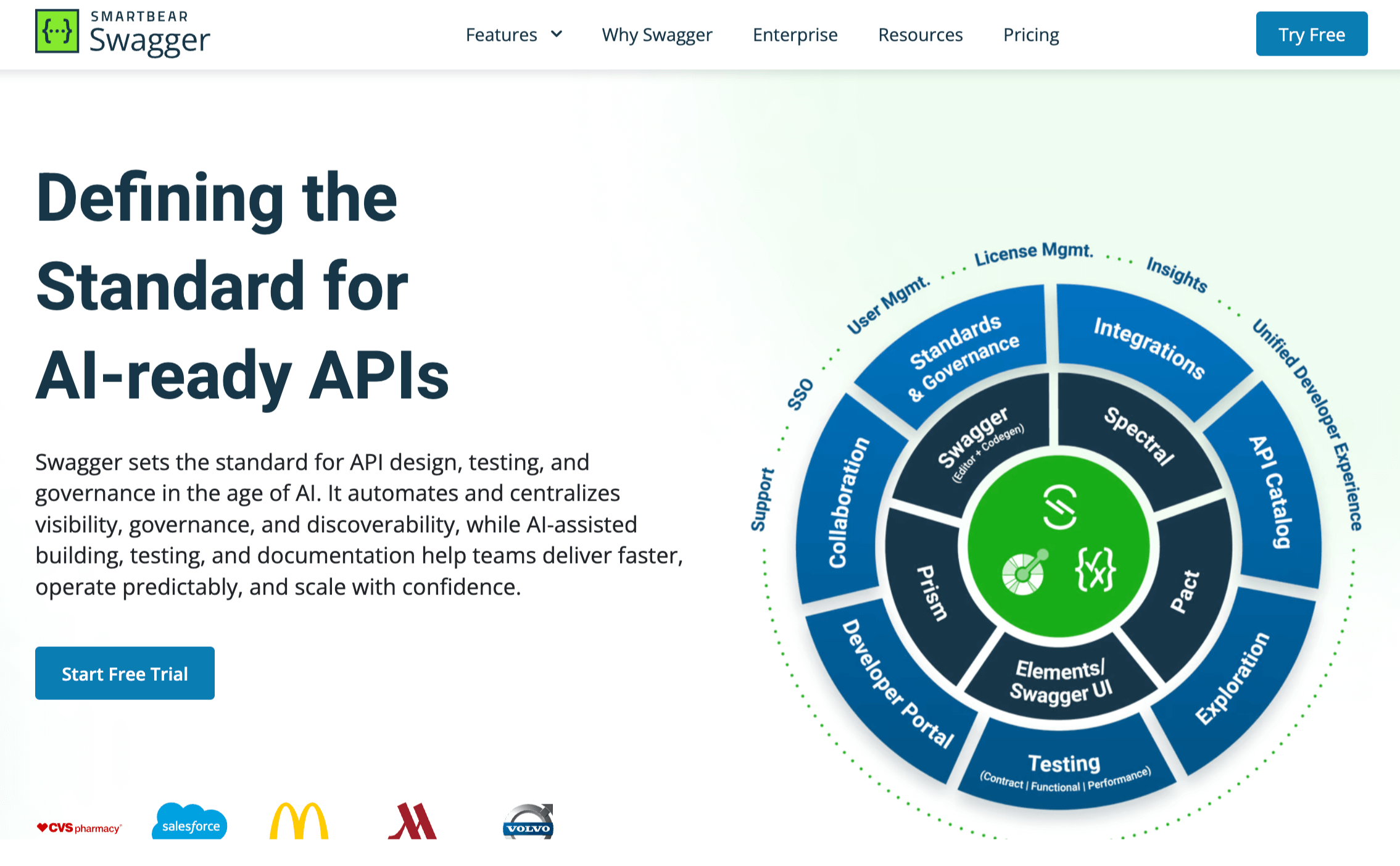
SwaggerHub is a hosted platform by SmartBear that offers a comprehensive solution for designing, building, and documenting APIs with OpenAPI. It integrates with Swagger UI, the widely adopted open-source project that renders OpenAPI specifications into interactive API documentation.
While Swagger UI provides the foundational documentation experience, SwaggerHub extends this with collaborative design tools, API mocking, and centralized governance features, making it a powerful choice among OpenAPI documentation tools.
Key Features:
Centralized OpenAPI definition storage enables teams to manage all their API specifications in a single, secure location, fostering consistency and reusability.
Integrated API Editor with real-time validation and syntax checking helps developers write accurate and compliant OpenAPI specifications.
Collaborative design workflows with version control enable multiple team members to work on the same API definition simultaneously, facilitating agile development.
Auto-generated documentation from OpenAPI specs, powered by Swagger UI, provides interactive "Try it" functionality, parameter descriptions, and example responses.
Pros:
Mature Ecosystem: Backed by SmartBear, it boasts a large community and extensive resources.
Enterprise-Ready: Strong features for team collaboration, governance, and centralized management.
Broad Adoption: Swagger UI is ubiquitous, making the generated documentation familiar to many developers.
Limitations:
Operations Overhead: If you opt to self-host Swagger UI, you'll manage more infrastructure and integration yourself, compared to hosted solutions.
UI Modernity: While functional, the out-of-the-box Swagger UI can appear less modern or visually polished compared to newer tools like Bump.sh or Scalar.
Cost: SwaggerHub, as a SaaS platform, charges a subscription fee that can increase with team size and feature requirements.

Redocly offers enterprise-grade solutions for managing the entire API lifecycle, with a strong emphasis on documentation. At its core is Redoc, an open-source tool that generates stunning, responsive, and highly customizable API documentation from OpenAPI specifications.
Redocly expands on this with a SaaS platform that offers advanced features such as API portals, versioning, change management, and a unified developer experience, making it a compelling choice among OpenAPI documentation tools for those who prioritize aesthetics and customization.
Key Features:
Beautiful and responsive API documentation generated from OpenAPI (Swagger) definitions, with a clear three-panel layout optimized for readability and navigation.
Extensive customization options through themes and CSS, allowing teams to brand their API documentation to match their corporate identity perfectly.
An interactive "Try it" console that lets developers make live API calls directly from the documentation, enabling quick testing and exploration.
Automated table of contents and deep linking for easy navigation through complex API specifications.
Pros:
Enterprise-Grade Workflows: Redocly SaaS provides robust features for large organizations, including collaboration, governance, and advanced deployment options.
Strong OpenAPI Expertise: Both Redoc and Redocly are deeply integrated with the OpenAPI specification, ensuring accurate and comprehensive rendering.
Customization: Offers significant control over the look and feel, making it one of the best OpenAPI documentation tools for branding.
Limitations:
Configuration and Theming Work: Achieving a highly customized look might require more effort in configuring and theming, especially with the open-source Redoc.
Features Paywalled: Some of the more advanced features, such as comprehensive API portals, advanced versioning, and enterprise-grade collaboration, are exclusive to the Redocly SaaS platform.
Learning Curve for Advanced Customization: While powerful, deep customization may require some familiarity with front-end development concepts.
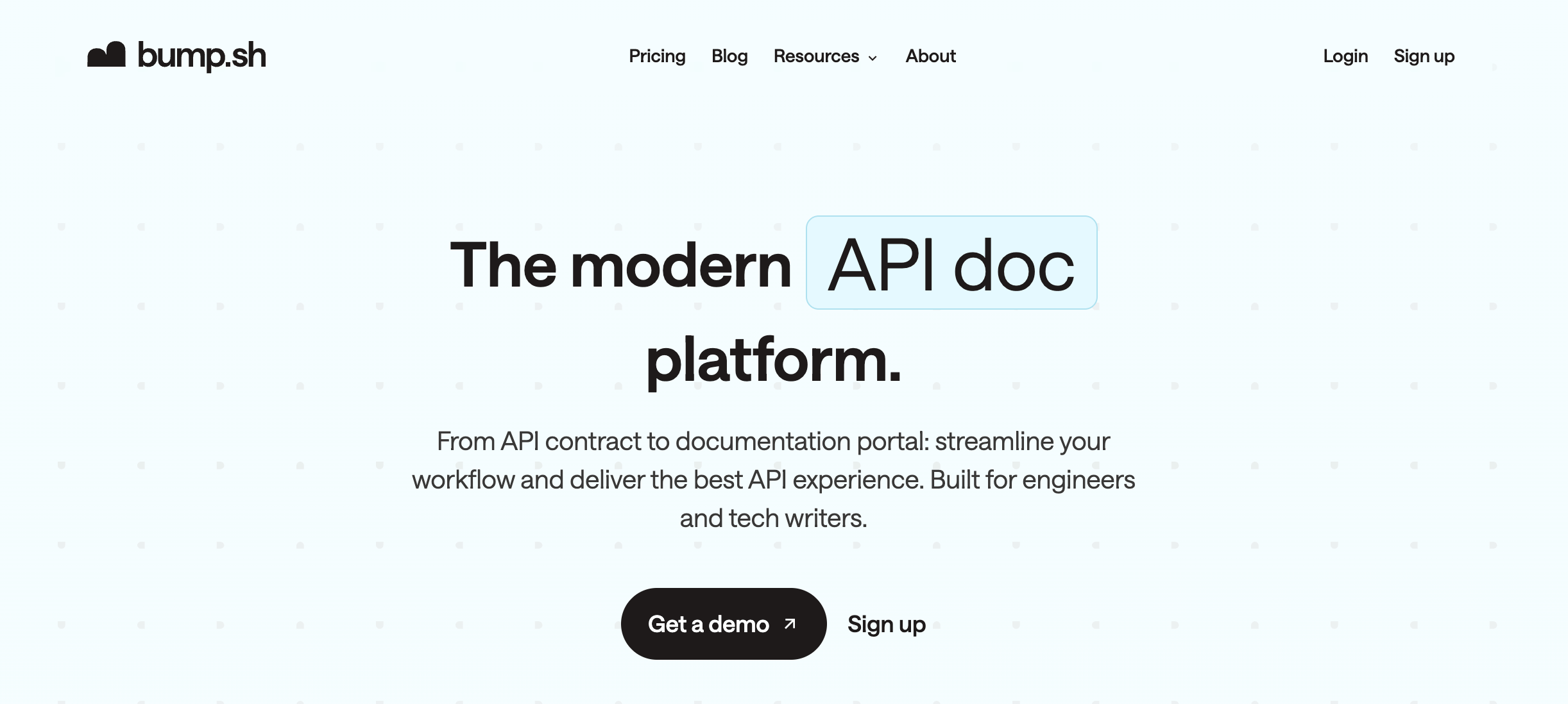
Bump.sh is a modern, spec-driven OpenAPI documentation tool that emphasizes automation and clarity. It specializes in generating beautiful, Stripe-like three-column layout documentation directly from your OpenAPI specifications.
A standout feature is its automatic diffing and changelog capabilities, which make it incredibly easy for API consumers to see exactly what has changed between API versions.
This focus on "spec discipline" and clear communication makes Bump.sh a powerful contender among OpenAPI documentation tools for teams that prioritize accurate, up-to-date information.
Key Docs Features:
Automatic Changelogs and Diffing: Automatically generates a changelog by comparing different versions of your OpenAPI specification, highlighting additions, removals, and modifications to endpoints, parameters, and schemas.
API Explorer: An interactive interface that allows users to explore API endpoints, view request/response examples, and make "Try it" calls directly from the browser.
API Hub for Multiple APIs: Provides a centralized portal to host and manage documentation for multiple APIs, allowing developers to discover and navigate across your entire API ecosystem.
Supports OpenAPI 2.0, 3.0, and 3.1: Ensures compatibility with a wide range of existing and future API specifications.
Pros:
Great Spec Workflows: Excels in environments where teams maintain a high degree of discipline with their OpenAPI specifications. The automated diffing is invaluable for keeping consumers informed.
Assumes Spec Discipline: While this is its strength, it also means that the quality of your documentation is directly tied to the accuracy and completeness of your OpenAPI spec. It’s not a tool that will "fix" a poorly written spec.
Limitations:
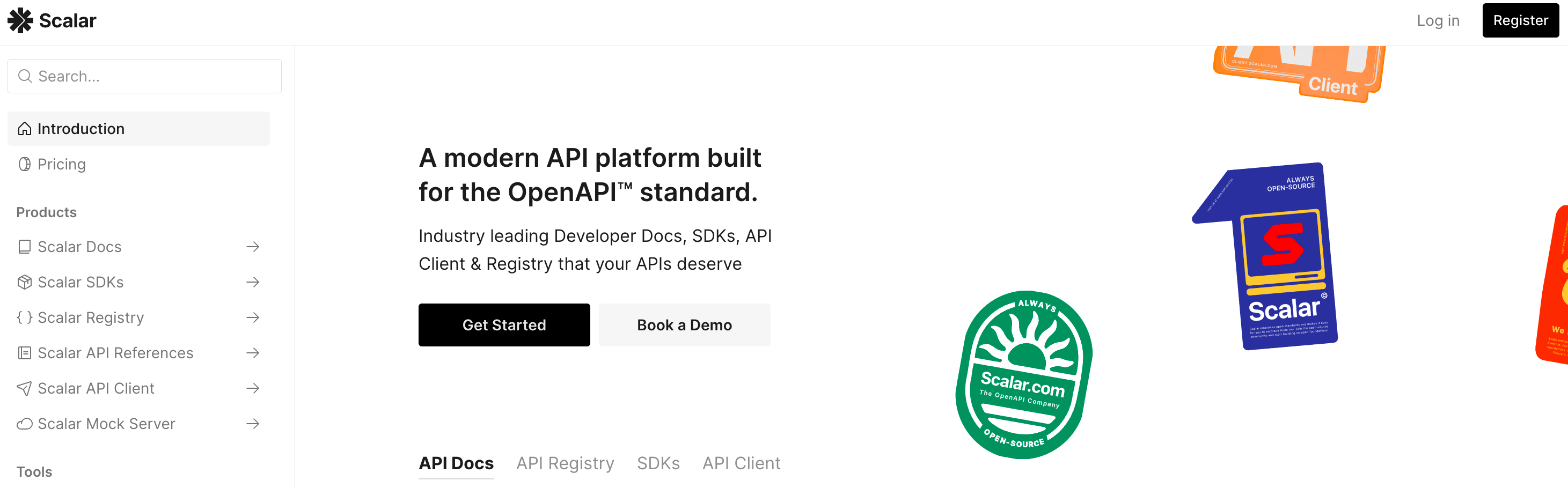
Scalar is an open-source, interactive UI component designed to render OpenAPI (and now also GraphQL) specifications into beautiful, user-friendly API reference documentation.
Its modern design and ease of integration have led to its adoption by many frameworks and developer tools as the default way to display OpenAPI docs.
Scalar prioritizes a clean aesthetic and an interactive playground, making it one of the best OpenAPI documentation tools for those seeking a lean, embeddable solution.
Key Features:
Interactive API Playground: Allows developers to test API endpoints directly within the documentation, sending requests and viewing responses in real time.
Easy Embedding: Scalar is designed as a single web component, making it easy to embed into any existing website, developer portal, or static site generator with minimal setup.
Minimal Setup: Requires minimal configuration to get started, making it quick to deploy and use.
Modern & Responsive UI: Offers a contemporary design that is highly readable and adapts well to various screen sizes and devices.
Open-Source and Actively Maintained: Benefits from community contributions and continuous improvements, making it a reliable choice among open-source OpenAPI documentation tools.
Pros:
Lean & Fast: Being a lightweight component, it offers excellent performance and doesn't introduce unnecessary overhead.
Excellent Developer Experience: The interactive playground and clean UI significantly improve how developers interact with API documentation.
Community Driven: As an open-source project, it benefits from ongoing development and support from a community of users.
Limitations:
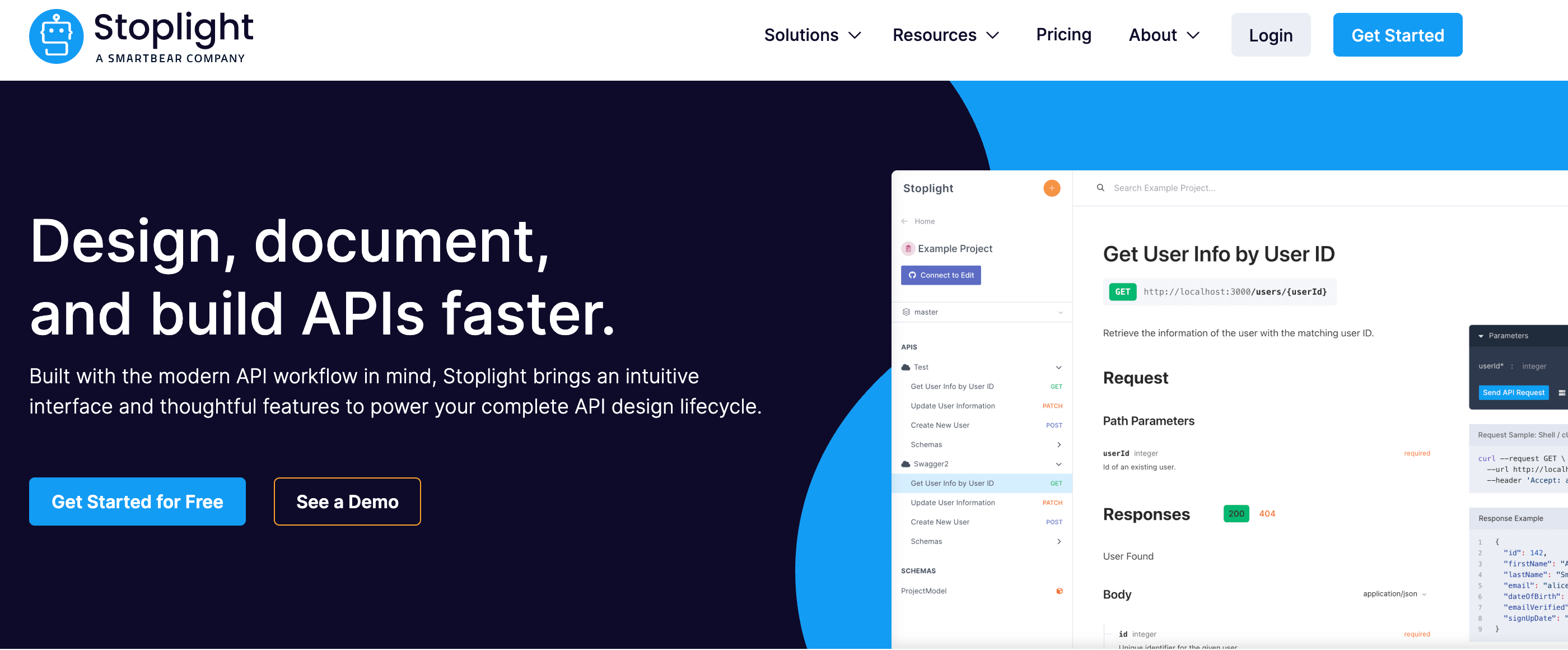
Stoplight offers a comprehensive platform for the entire API lifecycle, with a strong "design-first" philosophy. Its documentation capabilities are built around its visual modeling tools and are powered by its flexible Elements components.
Stoplight allows teams to generate sophisticated, interactive OpenAPI documentation and full developer portals directly from their OpenAPI specifications, enabling a consistent and governed approach from design to deployment.
It's one of the top OpenAPI documentation tools for organizations that want to integrate documentation deeply into their API design workflow.
Key OpenAPI Docs Capabilities:
Visual API Modeling: Design OpenAPI specifications with an intuitive visual editor that automatically generates accurate, consistent documentation.
Automated Documentation Generation: Produces interactive API documentation directly from your OpenAPI files, ensuring accuracy and reducing manual effort.
Reusable Style Guides and Governance: Enforce consistent API design and documentation standards across your organization with centralized style guides.
Mock Servers: Automatically generate mock servers from your OpenAPI specs, allowing developers to test integrations before the API is live.
Pros:
Very Capable: Offers a wide array of features for API design, documentation, and governance, making it a powerful all-in-one solution.
Design-First Excellence: Ideal for teams committed to designing APIs before coding, ensuring well-thought-out and consistent interfaces.
Scalable for Enterprises: Robust enough to handle large, complex API programs with multiple teams and numerous APIs.
Limitations:
Can Be Pricey and Complex: The comprehensive feature set can come with a higher price tag and potentially a steeper learning curve, especially for smaller teams or those with simpler documentation needs.
Opinionated Workflow: While beneficial for consistency, its design-first approach might require adaptation for teams accustomed to different workflows.
ReadMe is a popular hosted platform that helps companies create powerful, personalized developer hubs. It excels at consuming your OpenAPI (OAS) files and transforming them into interactive API reference documentation that lives alongside comprehensive guides, tutorials, and changelogs.
ReadMe focuses on enhancing the developer journey by providing features like personalized dashboards and integration with various tools, making it one of the best OpenAPI documentation tools for creating a complete and engaging developer experience.
Key Features:
API Reference from OAS: Automatically generates interactive API reference documentation directly from your OpenAPI specification, ensuring accuracy and consistency.
"Try it" Console: An embedded interactive console that allows developers to send live requests to your API directly from the documentation, speeding up testing and exploration.
Personalized Dashboards: Offers custom dashboards for logged-in users, providing tailored content, usage analytics, and API keys specific to their needs.
Comprehensive Developer Hubs: Beyond reference docs, ReadMe allows you to create rich content, including guides, tutorials, FAQs, and release notes, all within a unified portal.
Pros:
Powerful Portals: Offers a robust platform for creating full-fledged, engaging developer portals that go beyond just API reference.
Excellent Developer Experience: Focuses heavily on the end-user journey, with personalized content and interactive tools.
Rich Content Capabilities: Ideal for teams that need to provide a wide range of content alongside their API reference.
Limitations:
Cost & Vendor Lock-in: As a comprehensive SaaS platform, ReadMe can be a significant investment, and reliance on a single vendor for your entire developer hub could lead to vendor lock-in.
May be Overkill for Simple Needs: For teams that only need basic OpenAPI reference documentation without a complete content management system, ReadMe might offer more features than necessary.
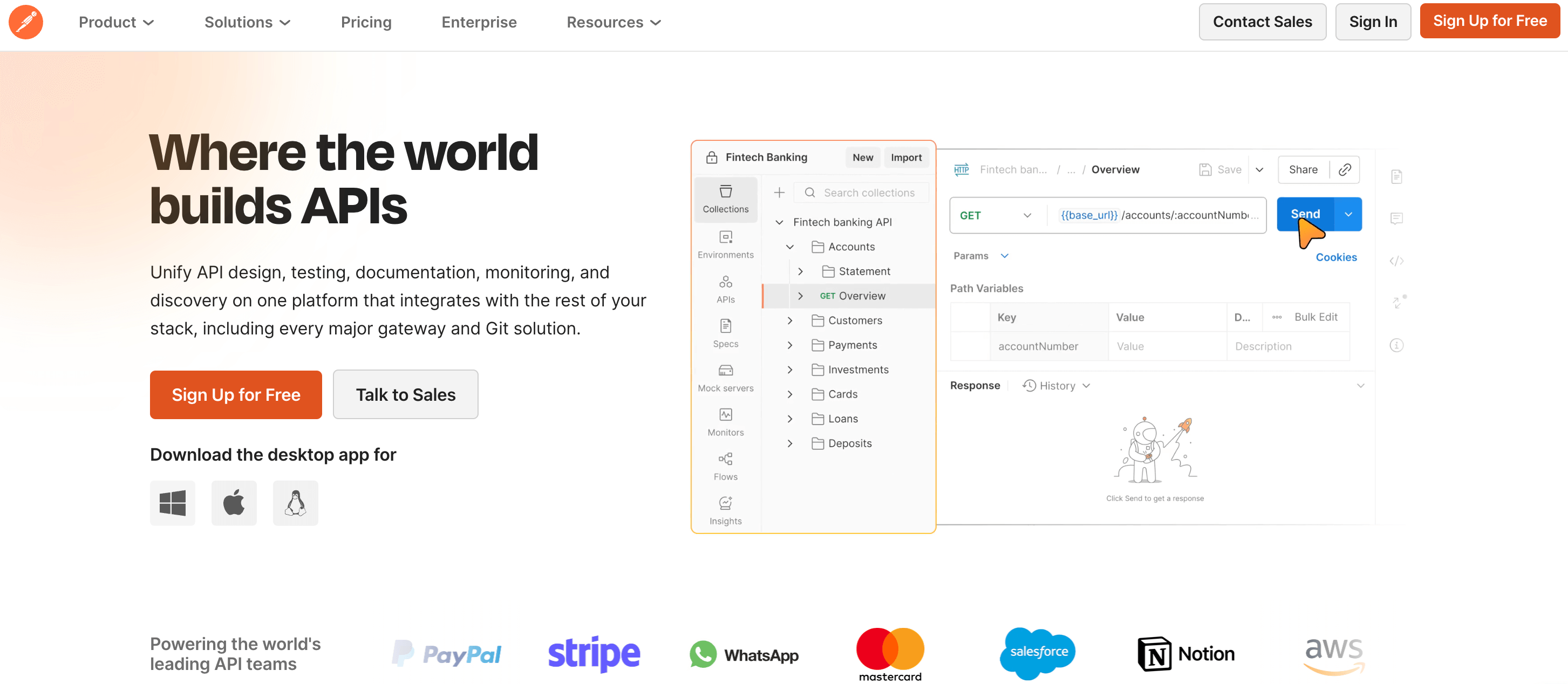
Postman is primarily known as a leading platform for API testing, development, and collaboration. While not a dedicated OpenAPI documentation tool, it offers robust capabilities for importing OpenAPI specifications and automatically generating shareable, interactive API documentation within its workspaces.
For teams that already heavily rely on Postman for API development and testing, its integrated documentation features provide a convenient and familiar way to publish API specs and usage guides.
Key OpenAPI Doc Features:
Import OpenAPI (OAS): Easily import OpenAPI specifications (JSON/YAML) into Postman collections, which then form the basis for your documentation.
Generate Documentation: Automatically generates clear, navigable API documentation from your Postman collections, including endpoint details, request/response examples, and parameters.
Public Workspaces: Allows teams to publish public workspaces, making their API documentation and related collections accessible to external developers.
"Run in Postman" Button: Facilitates easy API testing by allowing users to import API requests directly into their Postman client.
Pros:
Convenient if You Live in Postman: For teams deeply embedded in the Postman ecosystem, it's an incredibly convenient way to keep documentation close to development and testing workflows.
Comprehensive API Platform: Offers a wide array of features across the entire API lifecycle beyond documentation, including testing, monitoring, and collaboration.
Easy Collaboration: Facilitates sharing and collaboration on API collections and documentation within teams.
Limitations:
Not a Dedicated Docs UX: While functional, the documentation experience within Postman is geared towards its testing and development environment and may not offer the same level of customization, aesthetic polish, or dedicated developer portal features as specialized OpenAPI documentation tools.
Less Focus on Public-Facing Portals: While it supports public workspaces, it's not primarily designed for creating highly branded, self-serve developer portals with extensive guides and tutorials outside of reference content.
Document360 is primarily a robust knowledge base platform designed for creating and managing comprehensive online documentation, including user manuals, help articles, and internal wikis.
Recognizing the growing need for robust API documentation, it has integrated specific features to support OpenAPI (Swagger) specifications.
This makes Document360 an interesting option among OpenAPI documentation tools for organizations that want to host their API reference alongside broader technical documentation or a customer-facing knowledge base.
Key OpenAPI Features:
Import OpenAPI/Swagger: Allows users to import OpenAPI (v2.0 and v3.0) and Swagger specifications (JSON/YAML) to generate API reference documentation automatically.
Generate API Reference: Transforms imported specifications into interactive and navigable API documentation, including endpoint details, parameters, request/response bodies, and example values.
Multi-API Support: Capable of managing documentation for multiple APIs within a single knowledge base, providing a centralized repository.
Customizable Layouts: Offers options to customize the API documentation's appearance and layout to maintain brand consistency.
Pros
Powerful Knowledge Base: Ideal for organizations that need a comprehensive platform for all their documentation needs, not just APIs.
Unified Content Management: Centralizes API docs with other knowledge content, reducing fragmentation.
User-Friendly Interface: Generally offers an intuitive interface for content creation and management.
Limitations:
May Be Heavy for API-Only Needs: If your primary requirement is only API documentation without the need for a full-featured knowledge base, Document360 might introduce unnecessary complexity or cost.
Less Specialized APIOps Focus: While it supports OpenAPI, its core focus isn't on deep API lifecycle management, governance, or advanced "Try it" console features, as with dedicated OpenAPI documentation tools.
Apidog presents itself as an all-in-one platform covering the entire API lifecycle, from design and testing to mocking and documentation. It's built around the OpenAPI specification, allowing users to import and export OpenAPI files while providing a suite of tools for schema design, automated testing, and interactive documentation.
For teams seeking a single platform to manage their API workflow from conception to consumption, Apidog offers a compelling integrated solution among OpenAPI documentation tools.
Docs Features:
Interactive Docs from OAS: Generates highly interactive and navigable API documentation directly from imported OpenAPI specifications, making it easy for developers to understand and use your APIs.
Customizable Themes: Allows users to tailor the appearance of their API documentation with customizable themes and branding options to match their corporate identity.
Shareable Portals: Provides functionality to publish and share API documentation as public or private portals, enabling easy access for internal teams or external partners.
Auto-Generated Code Samples: Automatically creates code snippets in various programming languages, accelerating the integration process for API consumers.
Pros:
Broad Feature Set: Offers a comprehensive suite of tools for design, testing, mocking, and documentation, providing a cohesive API management experience.
Strong OpenAPI Integration: Deeply integrated with the OpenAPI specification for import, export, and schema design.
Cost-Effective All-in-One: Can be a cost-effective solution for teams that would otherwise need multiple separate tools for different stages of the API lifecycle.
Limitations:
Not Focused Purely on Docs UX: While its documentation is functional, the user experience might not be as specialized or polished as dedicated OpenAPI documentation tools that prioritize documentation above all else.
Potential for Feature Overload: The vast number of features might be overwhelming for teams with particular, limited needs, potentially leading to a steeper learning curve.
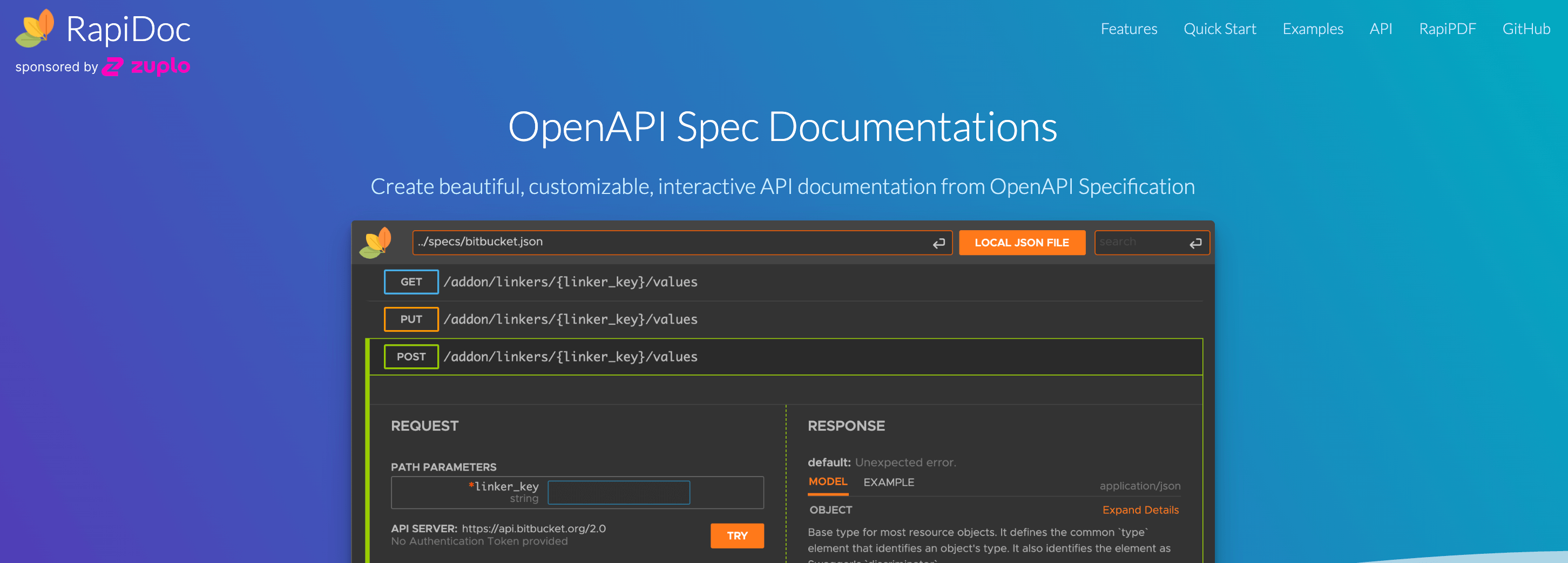
RapiDoc is an open-source web component specifically designed to render OpenAPI specifications (v2.0, v3.0, and v3.1) into aesthetically pleasing, interactive API documentation. It's built for flexibility and ease of integration, often favored by developers who want to embed high-quality documentation into static sites, custom developer portals, or single-page applications without the overhead of a full SaaS platform.
RapiDoc is one of the best OpenAPI documentation tools for those prioritizing a lightweight, embeddable, and customizable solution.
Key Features:
Single JS Component: RapiDoc is implemented as a self-contained web component, making it extremely easy to drop into any web page or framework with minimal effort and no complex dependencies.
Custom Themes and Styling: Offers extensive options for theming and visual customization using attributes and CSS variables, allowing for a look and feel that perfectly aligns with your brand.
Interactive Try-Out Requests: Includes a functional "Try it" console that enables users to execute API requests directly from the documentation, facilitating quick testing and integration.
Pros:
Flexible and Lightweight: Ideal for developers who need to integrate high-quality API reference docs into an existing environment without heavy dependencies.
Excellent Performance: Its lightweight nature ensures that the documentation renders quickly and efficiently.
Highly Customizable: Offers more control over the component's appearance than many other open-source renderers.
Limitations:
Needs Front-End Wiring & Hosting: As a component, it requires the user to handle the hosting, integration, and any surrounding content (guides, tutorials), making it less "all-in-one" than a SaaS portal. It's one of the best OpenAPI documentation tools for experienced front-end teams.
Lacks APIOps Features: Does not include features for version management, automated changelogs, governance, or analytics, which must be handled externally.
OpenAPI Generator is a powerful, community-driven, open-source project that automatically generates code and documentation from an OpenAPI specification. While primarily known for generating client SDKs, server stubs, and API schemas, it also includes various documentation generators that can produce static HTML, Markdown, and other formats.
It is one of the most versatile OpenAPI documentation tools for teams that prioritize automation and tightly integrate documentation generation into their CI/CD pipelines.
Key Features:
Command Line Interface (CLI): Operates primarily via the command line, making it highly suitable for scripting and integrating into automated build processes.
Many Generators: Offers hundreds of generators for various languages, frameworks, and documentation formats, giving users enormous flexibility.
Template Customization: Allows users to override and customize the underlying Handlebars templates to perfectly tailor the generated output (both code and documentation) to their specific requirements.
CI Integration: Designed for seamless integration into Continuous Integration/Continuous Delivery (CI/CD) pipelines, enabling documentation to be generated automatically whenever the API specification is updated.
Generates Static HTML: Can create completely static HTML documentation, making it easy to host on any web server or even GitHub Pages.
Supports OpenAPI 2.0 and 3.0: Provides robust support for these standard specification versions.
Pros:
Extremely Powerful Automation: Unmatched in its ability to generate both code and docs from a single source of truth (the spec).
Highly Customizable Output: The template system provides maximum control over the final documentation output and structure.
Cost-Effective: Being entirely open-source, it is free to use and modify.
Limitations:
Requires Developer Ownership & Theming: The generated documentation often requires additional theming and configuration to achieve a polished, modern look. It requires developer ownership to manage the generation process and templates, making it less suitable for DevRel-only teams.
Static Output: Lacks the interactive "Try it" console and real-time feel of hosted SaaS platforms or components, unless paired with another tool.
DapperDox is an open-source documentation generator and server designed explicitly for OpenAPI (OAS 2 & 3). Its key strength is the seamless integration of your machine-readable OpenAPI specification with human-written, narrative Markdown content.
It provides a structured documentation portal that uses your OpenAPI file as the foundation while allowing you to enrich it with guides, tutorials, and context using Markdown overlays, making it one of the most flexible OpenAPI documentation tools for combining reference and narrative content.
Key Features:
Multiple OpenAPI Files: Can serve documentation for multiple, distinct OpenAPI specifications simultaneously within a single portal, ideal for API hubs or catalogs.
Markdown Overlays: Allows authors to write supplementary narrative content in Markdown that can be linked to specific operations, paths, or definitions within the generated reference documentation.
GitHub Integration: Designed to pull content directly from GitHub repositories, streamlining the documentation workflow for teams using Git.
API Explorer: Features an interactive API explorer for testing endpoints and viewing request/response cycles.
Collaboration Support: Designed to work well with Git-based collaboration workflows, allowing developers and technical writers to contribute seamlessly.
Theming and Customization: Offers features for customization and branding of the final documentation portal.
Pros:
Rich and Flexible: Excellent solution for teams that need to surround their API reference with extensive guides, tutorials, and context-setting content.
Seamless Markdown Integration: The overlay system is a powerful way to bridge the gap between auto-generated content and hand-written narrative.
Open-Source & Self-Hostable: Provides complete control over deployment and hosting environments.
Limitations:
Steeper Learning Curve: The system for linking Markdown content to the OpenAPI specification requires some initial setup and a specific file structure, potentially leading to a steeper learning curve than simple renderers
Requires Infrastructure: Needs a server (or container) to run the DapperDox application, as it's a generator and a server, not just a static output tool.
Selecting the best OpenAPI documentation tools is a strategic decision that impacts development velocity, compliance, and overall developer satisfaction. The right choice depends on where you sit in the API lifecycle and on your immediate and future requirements. Here is a breakdown of key decision factors.
Before evaluating features, define the scope and audience of your documentation:
Single Public API vs. Large Internal Estate: If you manage a single public API (DevRel-focused), tools like ReadMe or a highly polished Redocly portal might be ideal for maximizing external DX. If you manage a large, complex internal microservices estate, platforms like Treblle, Stoplight, or Postman are better suited for centralized governance, testing, and cataloging.
Product-Focused DevRel vs. Internal Platform Needs: DevRel often prioritizes a beautiful, user-friendly, personalized experience. Internal platform teams often prioritize accuracy, governance, and integrating docs with existing testing/monitoring.
Your infrastructure preference heavily influences the choice:
Hosted Portals (Treblle, Bump.sh, ReadMe, Apidog): Choose these if you value speed, maintenance reduction, automatic features (like diffing/versioning), and centralized access. They offer a complete solution out of the box.
Embeddable Components (Scalar, Redoc, RapiDoc, DapperDox): Pick these if you need extreme customization, want to integrate docs into an existing website/CMS, or prefer a self-hosted, open-source approach. They provide maximum flexibility but require self-management.
All-in-One Platform (Treblle, Stoplight, Postman, Apidog): Best for teams that want to minimize tool sprawl by centralizing API design, testing, documentation, and governance in a single vendor’s ecosystem.
Ensure your chosen tool supports your technical foundation:
OpenAPI 3.1, Multi-File Support, Async APIs: If you use newer features like OpenAPI 3.1, or need robust support for complex, multi-file specs or AsyncAPI for event-driven architectures, prioritize tools that explicitly support these, such as Treblle, Bump.sh, or Redocly.
Integration with Git, CI/CD, and Pipelines: For API-as-Code principles, tools that integrate seamlessly with Git and automate publishing via CI/CD pipelines are essential for maintaining accurate documentation.
Documentation is a gateway to your API, and modern teams require more than just reference rendering:
The financial and operational reality of your team is a key constraint:
OSS vs. SaaS: Open-source tools like Scalar, Redoc, and RapiDoc have no subscription costs but incur significant operational overhead, including hosting, maintenance, security, and feature development. SaaS solutions reduce operational load but incur a subscription cost.
Ownership: Determine who owns the spec and the docs. If it's a dedicated DevRel team, a focused SaaS tool like Treblle might be a good fit. If it's the platform engineering team, a governance-focused tool like Treblle, or Stoplight, which connects docs to runtime behavior, is often a better fit.
For teams struggling with the perennial challenge of stale documentation and fragmented tooling across the API lifecycle, Treblle offers a distinct and powerful value proposition among OpenAPI documentation tools. It fundamentally shifts the documentation process from a manual, spec-first activity to an automated, runtime-driven one.
The most significant risk to any API program is documentation drift, the moment your specs stop matching your code. Treblle solves this by automatically generating complete documentation and OpenAPI specifications from runtime data, rather than relying solely on hand-written contracts.
By installing a simple SDK, Treblle observes live API traffic, validates the behavior against the spec, and instantly generates accurate, interactive documentation. This guarantees that your OpenAPI documentation never lies to your consumers, making it the most reliable source of truth for your API’s actual behavior.
Most API teams use separate tools for documentation, monitoring, security, and analytics. This tool sprawl creates blind spots and inefficiencies. Treblle allows teams to centralize their:
API Catalog: A single source of truth for all APIs, discoverable by all internal teams.
Documentation: Always accurate, interactive OpenAPI reference docs.
Governance Scoring: Real-time scoring and enforcement of API standards.
Security Posture: Automatic security checks and identification of vulnerabilities.
This consolidation reduces fragmentation, improves compliance, and enables engineering leadership to maintain complete visibility across the entire API estate from a single dashboard. It’s a core tenet of the API Intelligence approach.
Complexity is the enemy of adoption. Treblle's AI assistant Alfred leverages your auto-generated API documentation to supercharge the developer experience.
Alfred can answer complex integration questions, suggest improvements to API calls, and guide users through multi-step integration flows, especially critical in complex or large microservice estates.
This provides immediate, intelligent support, dramatically speeding up time-to-first-call for consumers.
If you’re looking for OpenAPI documentation that never drifts from reality and connects directly to governance, security, and analytics, Treblle is worth testing on a single service before you commit to a full migration.
Do I need an OpenAPI documentation tool if my framework auto-generates Swagger UI?
What’s the difference between OpenAPI documentation tools and API gateways?
Can I migrate from Swagger UI to tools like Treblle?
How do OpenAPI documentation tools work with async APIs?
How much does it cost to run OpenAPI docs for a small API vs an enterprise program?

All Systems Operational

Gartner: Magic Quadrant, 2025
Gartner AI API Strategy, 2025

Everest Group: Enterprise App Integration Platforms, 2026


